For Mac and Windows
One keyboard and mouse for your Mac and your PC.
Push the pointer off the edge of one screen and keep going on the other. Type, click, scroll, copy and paste, as if it were one computer.
14-day free trial · Open source (GPL-3.0) · macOS 13+ · Windows 10 and 11
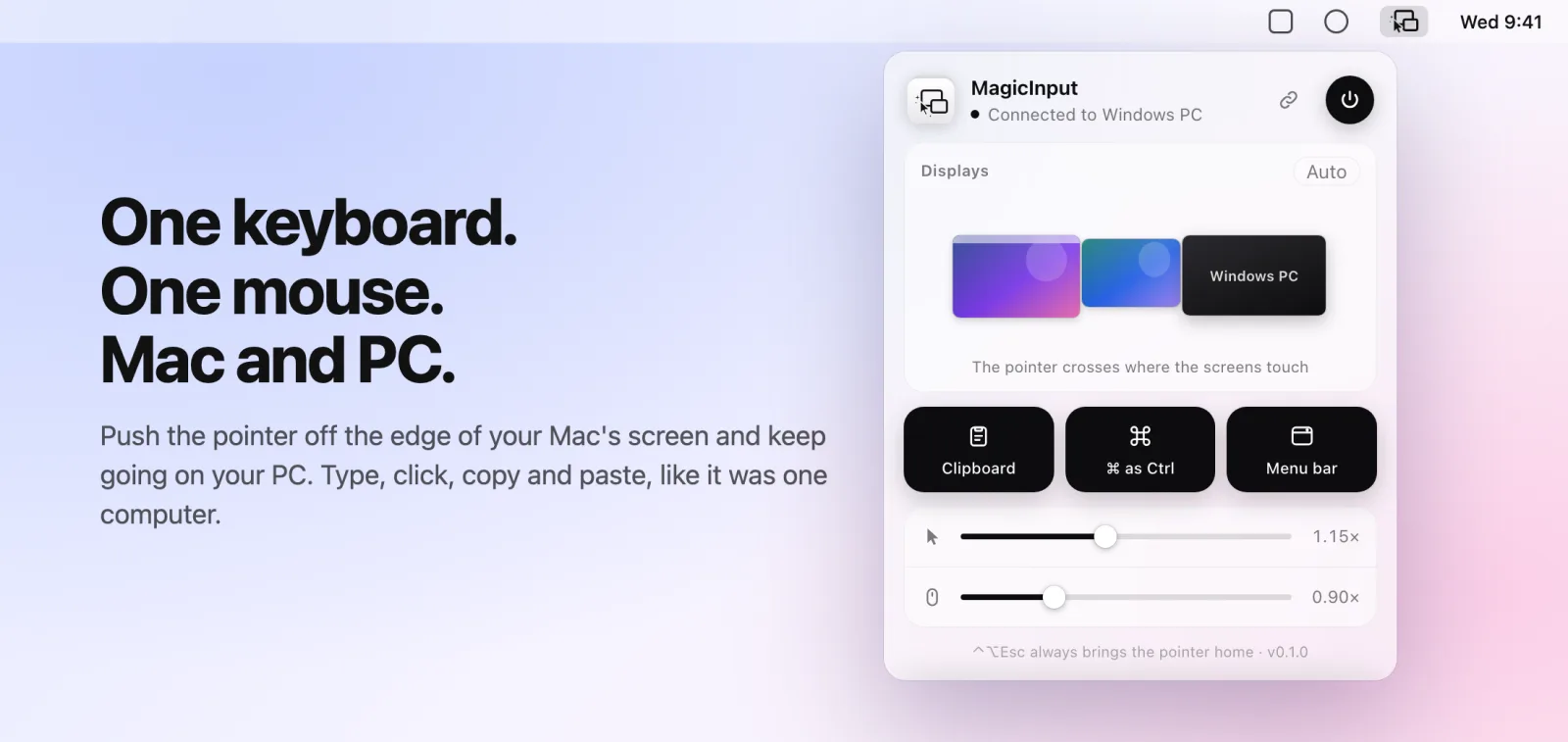
Feels like one computer.
Just push past the edge
Move the pointer off your Mac screen and it keeps going on the PC. Type, click, scroll and drag as if it were one computer.
Works both ways
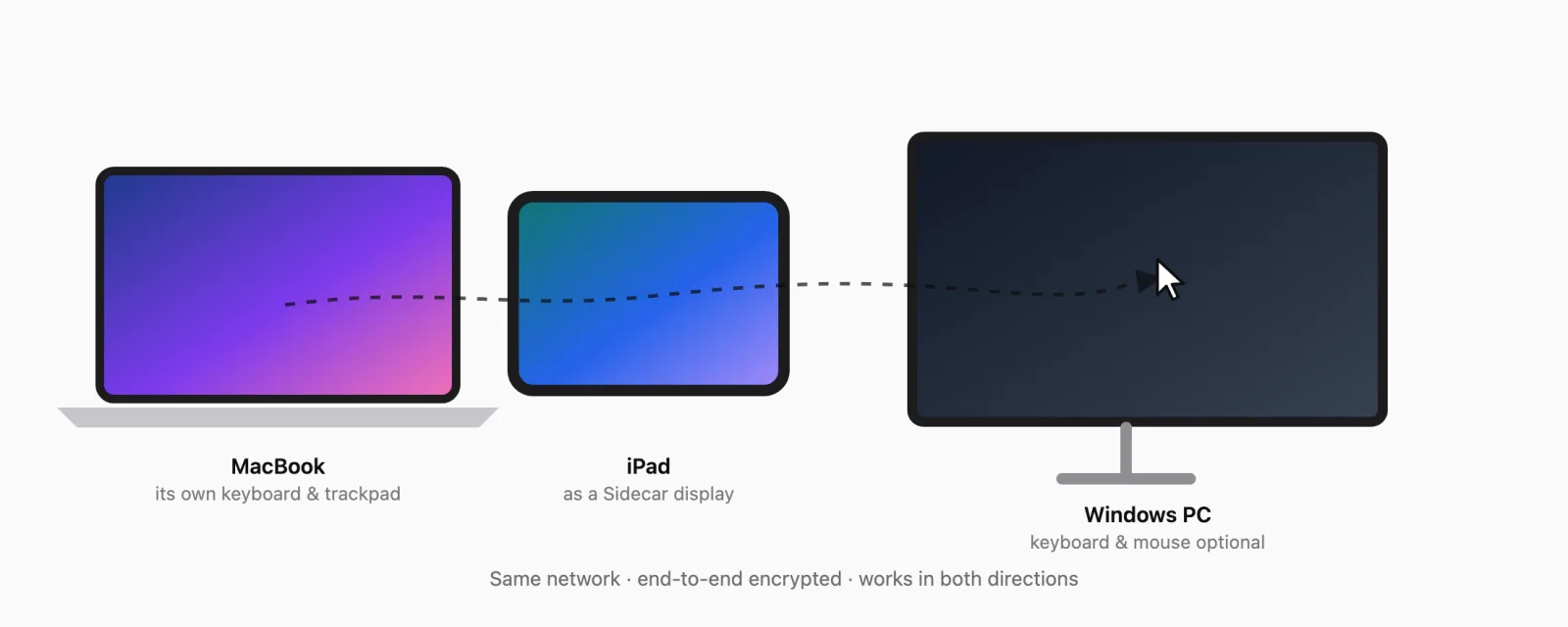
Drive the PC from your Mac's keyboard and trackpad, or the Mac from the PC's keyboard and mouse. Whichever you touch is in charge.
Keyboard follows the click
Click into a text field with the PC's own mouse and keep typing on the Mac keyboard. And the other way round.
Copy and paste across
Copied text comes along to the other computer. ⌘ and Ctrl swap automatically, so your shortcuts keep working.
Arrange like System Settings
Drag the PC next to your displays, iPad (Sidecar) included. The pointer crosses only where the screens touch.
Smooth on Wi-Fi
Late pointer updates are replayed as a quick glide instead of a jump. Runs at about 0.1% CPU in the background.
Open source
It sees your keyboard, so you should be able to see its code.
Read every line
MagicInput is open source under the GPL-3.0. You or your security team can audit exactly what it does.
Verify the download
Each release publishes SHA-256 checksums of the official installers. The Mac app is signed and notarized by Apple.
Private by design
No account, no cloud, no telemetry. It only talks to your other computer, encrypted, and refuses anything outside your local network.
Get the ready-made app
Try it free for 14 days. Then one license unlocks every computer connected to the licensed one, with a signed disk image for your Mac and a setup wizard for your PC.
Monthly
Cancel any time$10
per month
- Unlocks every computer connected to it
- Signed Mac disk image and Windows setup
- Every update while your plan is active
- A license key and a download page
Yearly
Save 20%$96
per year
- Unlocks every computer connected to it
- Signed Mac disk image and Windows setup
- Every update while your plan is active
- A license key and a download page
Lifetime
Best value$199
once
- Unlocks every computer connected to it
- Signed Mac disk image and Windows setup
- Every future update
- A license key and a download page
Also on Homebrew, with the same free trial:
brew install --cask betoxf/tap/magicinputOr build it yourself, it's open source. Build instructions
Questions
- Do I need a license for each computer?
- No. One computer with Premium unlocks the computers connected to it, so a Mac and a PC need one license.
- Is there a free trial?
- Yes: 14 days on each computer, no card needed. After that, MagicInput keeps sharing as long as one of your computers has Premium.
- Can I install it without buying first?
- Yes. On a Mac, install it with Homebrew (brew install --cask betoxf/tap/magicinput), or build it from the open-source code on GitHub. The same free trial applies, and a license from here unlocks it.
- What happens if I cancel?
- Your plan runs until the end of the period you paid for. After that MagicInput stops sharing between your computers until one of them has Premium again.
- Does it work with my iPad?
- An iPad joins as a Sidecar display of your Mac, and you can place it in the arrangement. There is no separate iPad app.
- What do I need?
- A Mac with macOS 13 or newer and a PC with Windows 10 or 11, on the same local network (Wi-Fi or Ethernet).
- Already bought it?
- Your download page is the one you reached after paying. Lost it? Contact us with your receipt email.